Last updated · Written and tested by the Seat Chart Generator team, who plan seating for real weddings, dinners and classrooms.
A good seating plan is one of the cheapest classroom-management tools there is. This classroom seating chart generator turns your roster into a printable desk map in under a minute. Use it as a random seating chart generator for fresh starts, or drag students by hand when you know exactly who needs to sit near the board.
How to make a classroom seating chart
- Choose a classroom layout. Rows, pairs or groups of four. Drag desks to match your room, or add a row at a time.
- Paste your class roster. Copy student names from your gradebook or a spreadsheet and paste them, one per line.
- Shuffle seats. Press Shuffle for a random seating chart. Add a rule such as “keep Jayden away from Leo” and shuffle again.
- Print it. Download a PDF with the desk map and an alphabetical roster, ready for a sub folder or the classroom wall.
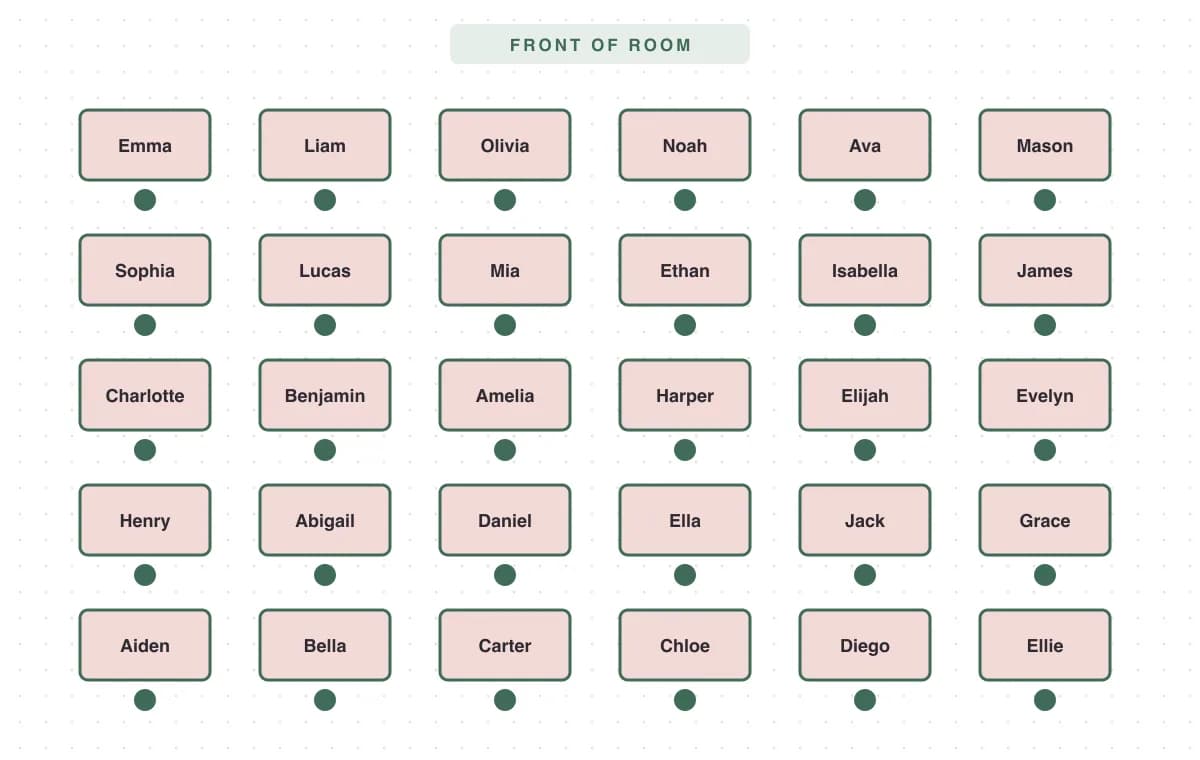
Classroom seating arrangements compared
| Layout | Best for | Watch out for |
|---|---|---|
| Rows | Tests, lectures, new classes | Less discussion; back rows drift |
| Pairs | Think-pair-share, peer reading | Pairs that are too social |
| Groups of 4 | Projects, stations, cooperative learning | Students with their backs to the board |
| U-shape | Discussion, seminars | Needs a big room |
Seating strategies teachers actually use
- Front-load support: seat students with IEP or 504 seating needs first, then shuffle everyone else.
- Separate, don’t isolate: use keep-apart rules for pairs that distract each other instead of moving one student to a corner.
- Random with guardrails: random seating feels fair to students, and rules quietly stop the worst combinations.
- Reseat on a schedule: every 4–6 weeks keeps groups fresh without constant disruption.
Your first-week seating chart
In the first week you don’t know your students yet, so start with an alphabetical or random seating chart. It helps you learn names fast and signals that seats aren’t a reward or a punishment. Print the chart and keep it on your desk. After a week or two, adjust it: add keep-apart rules for pairs who distract each other, move students who need to see the board to the front, and shuffle again.
Seating chart vs. spreadsheet
A spreadsheet works for one class until the first schedule change. With the generator, the roster and the room are linked, so a new student or a desk move takes seconds, and the printed chart always matches the room. It also works without Google Sheets or school logins, which helps when your device or account rules are strict.
Free for teachers, private by design
Classes up to 40 students are free, including shuffles and the printable chart. The roster never leaves your device, so no student data sits on a third-party server. For several sections, unlimited rules and desk name cards without a watermark, one Event Pass covers a full school year.
Planning a school dance, banquet or graduation dinner? Use the main seating chart generator or the wedding seating chart generator for round tables and place cards.
Classroom seating chart FAQ
Is the classroom seating chart generator free for teachers?
Yes. Classes of up to 40 students are free, including random shuffles and printable PDFs. No account or school email is needed.
Can it make a random seating chart?
Yes. Every press of Shuffle creates a new random seating chart while still respecting your keep-apart rule, which is perfect for weekly or monthly seat changes.
Is student data uploaded anywhere?
No. The roster stays in your browser and is never sent to our servers, which keeps things simple under FERPA and school privacy policies.
Which classroom seating arrangement is best?
Rows suit tests and direct instruction. Pairs suit think-pair-share. Groups of four suit projects and stations. Many teachers keep rows by default and switch to groups for project weeks.
How often should I change seats?
Most teachers reseat every 4–6 weeks, or after each grading period. Changing seats more often helps build a class community; changing less often helps younger students settle.
Can I print a seating chart for a substitute?
Yes. The PDF includes the desk map with names and an alphabetical roster, which is exactly what a substitute needs to take attendance.